The selling point of Focus 4K IPTV is picture quality. That makes it a good match for big living-room screens, live sport and films, and a poor match for a phone or an older HD set.
A 4K store whose name says it all: a clear focus on ultra-HD. Focus 4K IPTV is best for viewers with 4K TVs and fast connections.
We opened www.focus4kiptv.com (main domain focus4kiptv.com) during our provider list check: the site is online and the storefront loads. This guide covers who Focus 4K IPTV suits, a step-by-step strategy, plans and setup.
- Website
- www.focus4kiptv.com
- Main domain
- focus4kiptv.com
- Status
- Online
- Category
- 4K & Ultra HD
- Plans
- 5 plans from $14.95
- Lowest monthly cost
- $4.16 on 24 months
- Advertised
- 25,000+ live channels
- Connections
- 1, 2 or 3 devices
What we saw on www.focus4kiptv.com
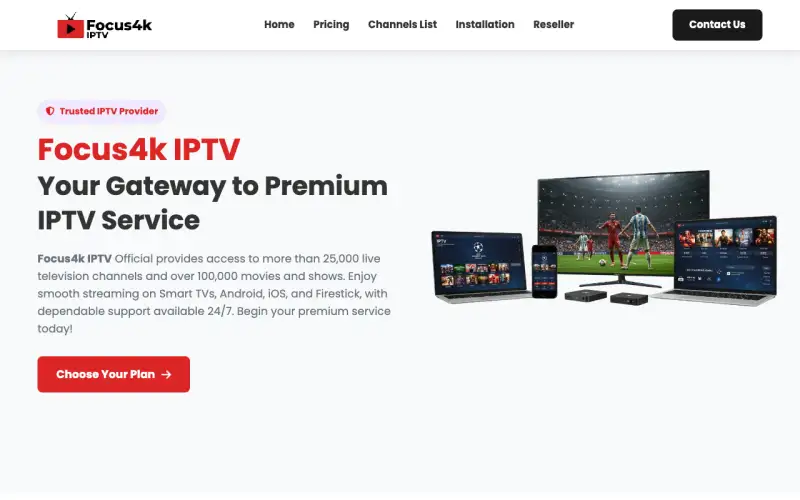
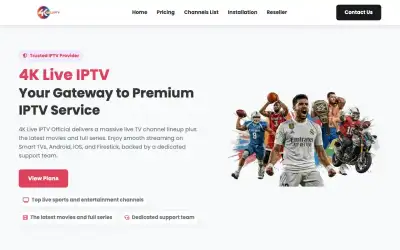
The main headline reads “Focus4k IPTV Your Gateway to Premium IPTV Service”. The homepage is organised into “Why Choose Focus4k IPTV ?”, “Focus4k IPTV Subscription Plans”, “Features of Focus4k IPTV”, “What Customers Say About Focus4k IPTV”, “Frequently Asked Questions”. It advertises 25,000+ live channels (the store’s own figure). The page mentions a refund or money-back policy, a reseller programme, a TV guide (EPG).
A distinct storefront
Its layout does not match any other store in our directory, which makes it easier to tell apart from copycats.
Who Focus 4K IPTV suits best
- A 4K TV or projector (55 inches and up is where 4K is obvious)
- A wired or strong 5 GHz connection of 50 Mbps or more
- A recent streaming box: Fire TV Stick 4K, Shield, a 4K Android box or a modern smart TV
The best strategy for Focus 4K IPTV, step by step
- Use a player that can show stream info (TiviMate, IBO Player or IPTV Smarters). Open a channel marked 4K or UHD and check the resolution reads 3840x2160, not 1920x1080.
- Test the 4K channels during a big live match or Saturday evening, when servers are busiest. That is when upscaled or overloaded streams show themselves.
- Plug the box in with Ethernet if you can. Most 4K buffering complaints are Wi-Fi problems, not provider problems.
- Keep HD as a fallback: favourite both the 4K and the FHD version of the channels you watch most, so you can switch in one click if the 4K feed stutters.
Which Focus 4K IPTV plan to choose
The price ladder on www.focus4kiptv.com when we checked, for one connection:
| Plan | Price | Per month | Saving |
|---|---|---|---|
| 1 month | $14.95 | $14.95 | — |
| 3 months | $29.95 | $9.98 | 33% |
| 6 months | $44.95 | $7.49 | 50% |
| 12 months | $59.95 | $5.00 | 67% |
| 24 months | $99.95 | $4.16 | 72% |
In one line: twelve monthly payments cost $179.40; the 12 month plan costs $59.95, a 67% saving.
Start with 1 month and spend it on the 4K checks above. If native 4K holds at peak time, the 24 month plan brings the cost to $4.16 a month.
The plan selector on www.focus4kiptv.com has 1, 2 and 3 device tabs. Pick the one that matches how many screens watch at the same time; the prices above are for 1 device.
Setting up Focus 4K IPTV on your devices
The Focus 4K IPTV site lists Firestick, Android, iOS, Smart TV, LG, MAG. The site names IPTV Smarters, so that is the safest app to start with.
- Amazon Fire TV / Firestick: Install the Downloader app, enable "apps from unknown sources", then install IPTV Smarters Pro or TiviMate and log in.
- Android phone, tablet or box: Install IPTV Smarters Pro or TiviMate from Google Play and choose "Login with Xtream Codes API".
- iPhone, iPad and Apple TV: Install IPTV Smarters Player Lite or GSE Smart IPTV from the App Store and add your login.
- Smart TV (Samsung, LG, Android TV): Open the TV's app store and install IBO Player, IPTV Smarters or Smart IPTV; on Android TV, TiviMate works too.
- MAG box: Enter the portal URL from your welcome email under Settings → Servers → Portals, then restart the box.
Every setup ends the same way: choose Login with Xtream Codes API (or add the M3U link) and paste the details from the Focus 4K IPTV welcome email exactly as written.
How to tell real 4K from upscaled HD on Focus 4K IPTV
Many IPTV stores label channels "4K" when the source is a 1080p feed stretched to 2160 lines. It looks a little sharper on paper and no different on screen. The quick test: pause on a wide shot with text (a score bar, a stadium sign). Real 4K keeps small text crisp; upscaled HD goes soft around the edges.
Ask Focus 4K IPTV support which channels are native 4K. A short, honest list (sports events, a handful of film channels) is a better sign than "all channels in 4K", which no provider can deliver.
Visit Focus 4K IPTV
Online when we checked. Plans from $14.95. Main domain: focus4kiptv.com.
Focus 4K IPTV FAQ
What internet speed do I need for Focus 4K IPTV in 4K?
Plan on 25 Mbps as the bare minimum for one 4K stream and 50 Mbps for comfortable viewing, measured on the TV or box you watch on. Add about 25 Mbps for each extra screen watching at the same time.
Which devices does Focus 4K IPTV work on?
The Focus 4K IPTV site lists Firestick, Android, iOS, Smart TV, LG, MAG. The site names IPTV Smarters as a player app.
Can I watch Focus 4K IPTV on more than one screen?
Yes. www.focus4kiptv.com sells 1, 2 and 3 device plans. Choose the number of screens that play at the same time.
Is Focus 4K IPTV still online?
Yes. We checked www.focus4kiptv.com and the site was online. We re-check every provider and remove the ones that go offline.
How much does Focus 4K IPTV cost?
5 plans were listed when we checked, from $14.95 for 1 month to $99.95 for 24 months ($4.16 a month).
How does Focus 4K IPTV compare with Viking IPTV?
Both sell IPTV subscriptions with live channels and on-demand content. Compare the channels you need, support speed and plan prices; Viking IPTV plans are at https://ww1.vikingiptvofficial.com/pricing/.