For a first IPTV subscription, Expedite TV keeps things approachable. The best strategy for beginners is simple: start small, install one app on one device, and only expand once that works.
A name that promises fast setup and quick activation. Expedite TV fits viewers who want to be watching the same day they sign up.
We opened expeditetv.store during our provider list check: the site is online and the storefront loads. This guide covers who Expedite TV suits, a step-by-step strategy, plans and setup.
- Website
- expeditetv.store
- Main domain
- expeditetv.store
- Status
- Online
- Category
- First-Time Users
- Plans
- 4 plans from $14.95
- Lowest monthly cost
- $5.00 on 12 months
- Advertised
- 24,000+ live channels
What we saw on expeditetv.store
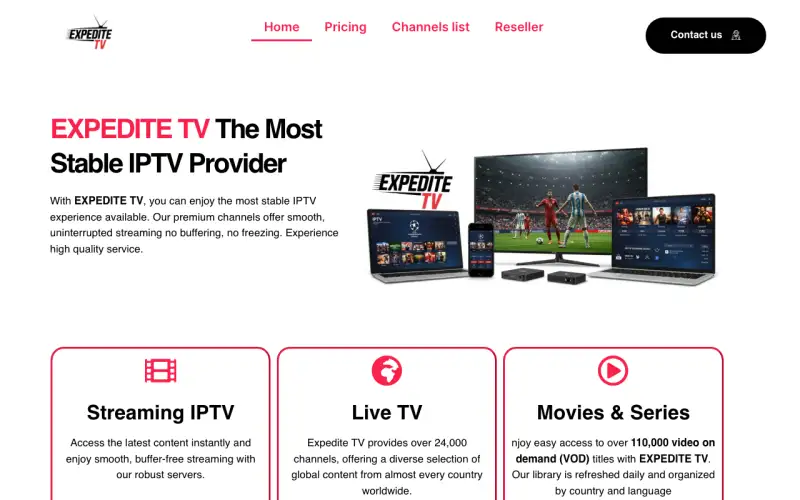
The main headline reads “EXPEDITE TV The Most Stable IPTV Provider”. The homepage is organised into “Streaming IPTV”, “Live TV”, “Movies & Series”, “1 Months”, “3 Months”. It advertises 24,000+ live channels (the store’s own figure). The page mentions a refund or money-back policy, a reseller programme, a TV guide (EPG).
A distinct storefront
Its layout does not match any other store in our directory, which makes it easier to tell apart from copycats.
Who Expedite TV suits best
- First-time IPTV users
- People who want to be watching the same day
- Anyone who prefers a guided setup over tinkering
The best strategy for Expedite TV, step by step
- Start on one device, ideally the main TV or a Fire TV Stick. Get that working before adding phones and tablets.
- When the login email arrives, copy the details exactly. Most "it does not work" moments are a missing character in the server address.
- Spend the first evening checking the channels and films you care about, not the whole list.
- Start with the shortest plan. Moving to a longer, cheaper-per-month plan later takes two minutes.
Which Expedite TV plan to choose
These are the Expedite TV plans listed on the site, for a single connection:
| Plan | Price | Per month | Saving |
|---|---|---|---|
| 1 month | $14.95 | $14.95 | — |
| 3 months | $29.95 | $9.98 | 33% |
| 6 months | $44.95 | $7.49 | 50% |
| 12 months | $59.95 | $5.00 | 67% |
In one line: twelve monthly payments cost $179.40; the 12 month plan costs $59.95, a 67% saving.
Start with 1 month. Upgrading later keeps the same login.
Setting up Expedite TV on your devices
According to its own pages, Expedite TV runs on Firestick, Fire TV, Android, iPhone, iOS, Smart TV. The store does not name an app, so IPTV Smarters Pro is the safest starting point.
- Amazon Fire TV / Firestick: Install the Downloader app, enable "apps from unknown sources", then install IPTV Smarters Pro or TiviMate and log in.
- Android phone, tablet or box: Install IPTV Smarters Pro or TiviMate from Google Play and choose "Login with Xtream Codes API".
- iPhone, iPad and Apple TV: Install IPTV Smarters Player Lite or GSE Smart IPTV from the App Store and add your login.
- Smart TV (Samsung, LG, Android TV): Open the TV's app store and install IBO Player, IPTV Smarters or Smart IPTV; on Android TV, TiviMate works too.
- MAG box: Enter the portal URL from your welcome email under Settings → Servers → Portals, then restart the box.
- Windows or Mac computer: Use IPTV Smarters for desktop or open the M3U link in VLC for quick viewing.
Every setup ends the same way: choose Login with Xtream Codes API (or add the M3U link) and paste the details from the Expedite TV welcome email exactly as written.
IPTV in plain words
IPTV is live TV and on-demand films delivered over your internet connection instead of a dish or cable. You need three things: an internet connection (around 25 Mbps is comfortable for HD), a device (smart TV, Fire Stick, Android box, phone or computer) and a player app. The subscription from Expedite TV is the content; the app is how you watch it.
The words you will see in setup emails: the server URL is the address of the service, the username and password are your account, and the EPG is the TV guide. That is all you need to know to get started.
Visit Expedite TV
Online when we checked. Plans from $14.95.
Expedite TV FAQ
What device should a beginner use with Expedite TV?
A Fire TV Stick or an Android TV box is the easiest start. Smart TVs work too, using an app such as IBO Player or Smarters from the TV's app store.
Which devices does Expedite TV work on?
The Expedite TV site lists Firestick, Fire TV, Android, iPhone, iOS, Smart TV. IPTV Smarters Pro or TiviMate are safe choices.
Is Expedite TV still online?
Yes. We checked expeditetv.store and the site was online. We re-check every provider and remove the ones that go offline.
How much does Expedite TV cost?
4 plans were listed when we checked, from $14.95 for 1 month to $59.95 for 12 months ($5.00 a month).
How does Expedite TV compare with Viking IPTV?
Both sell IPTV subscriptions with live channels and on-demand content. Compare the channels you need, support speed and plan prices; Viking IPTV plans are at https://ww1.vikingiptvofficial.com/pricing/.