AxosCast IPTV is aimed at homes where the TV, a Fire Stick in the bedroom and a couple of phones all want to watch. The key decision is not which plan length but how many connections you actually need at the same time.
Casting is in the name, so it is aimed at viewers who send streams from phone to TV. AxosCast IPTV is worth a look for Chromecast-style setups.
We opened www.axoscast-iptv.com (main domain axoscast-iptv.com) during our provider list check: the site is online and the storefront loads. This guide covers who AxosCast IPTV suits, a step-by-step strategy, plans and setup.
- Website
- www.axoscast-iptv.com
- Main domain
- axoscast-iptv.com
- Status
- Online
- Category
- Multi-Device
- Plans
- 5 plans from $14.95
- Lowest monthly cost
- $4.16 on 24 months
- Advertised
- 25,000+ live channels
- Connections
- 1, 2 or 3 devices
What we saw on www.axoscast-iptv.com
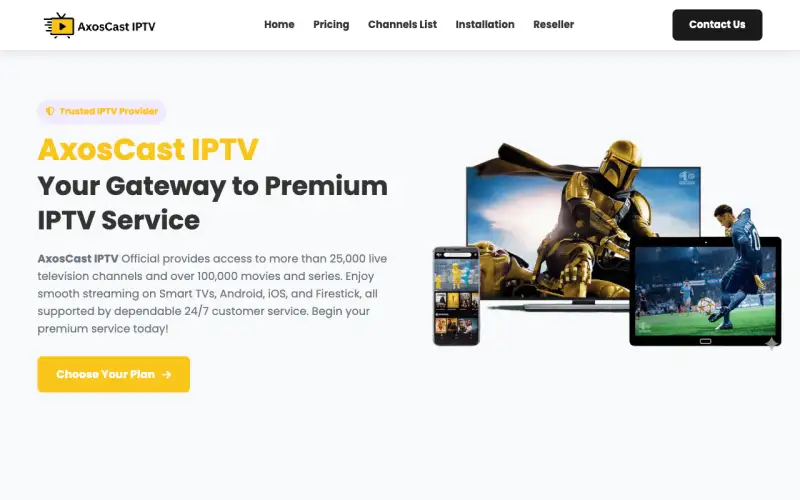
The main headline reads “AxosCast IPTV Your Gateway to Premium IPTV Service”. The homepage is organised into “Why Choose AxosCast IPTV ?”, “AxosCast IPTV Subscription Plans”, “Features of AxosCast IPTV”, “What Customers Say About AxosCast IPTV”, “Frequently Asked Questions”. It advertises 25,000+ live channels (the store’s own figure). The page mentions a refund or money-back policy, a reseller programme, a TV guide (EPG).
Same storefront template as 37 other stores
AxosCast IPTV uses the same page layout, headings and price ladder as these stores in our directory and 25 more. A shared template often means a shared supplier, so compare support and service, not just the name:
- 4Xtream Streams
- Agora Stream IPTV
- Alia IPTV
- Apollo Group TV
- Apollo TV IPTV
- Aroma IPTV
- Beast IPTV
- Bing IPTV
- CastoFlex TV
- DoxDox IPTV
- EPIX IPTV 4K
- Falcon IPTV
Who AxosCast IPTV suits best
- Families with two or more people watching at once
- People who switch between TV, tablet and phone
- Anyone casting from a phone to a TV
The best strategy for AxosCast IPTV, step by step
- Count the screens that will play at the same time, not the screens you own. Five devices that never overlap need one connection; two people watching at once need two.
- Install and sign in on the main TV first, confirm it works, then add the other devices one by one. Fixing one device is easy; fixing four at once is not.
- For casting, use the app's built-in cast button rather than mirroring your whole phone screen. Mirroring halves the quality and drains the battery.
- If one device drops when another starts, you have hit the connection limit. Upgrade the connections rather than logging devices in and out.
Which AxosCast IPTV plan to choose
These are the AxosCast IPTV plans listed on the site, for a single connection:
| Plan | Price | Per month | Saving |
|---|---|---|---|
| 1 month | $14.95 | $14.95 | — |
| 3 months | $29.95 | $9.98 | 33% |
| 6 months | $44.95 | $7.49 | 50% |
| 12 months | $59.95 | $5.00 | 67% |
| 24 months | $99.95 | $4.16 | 72% |
In one line: twelve monthly payments cost $179.40; the 12 month plan costs $59.95, a 67% saving.
Count your simultaneous screens first. The connection count matters more than the plan length.
The plan selector on www.axoscast-iptv.com has 1, 2 and 3 device tabs. Pick the one that matches how many screens watch at the same time; the prices above are for 1 device.
Setting up AxosCast IPTV on your devices
The AxosCast IPTV site lists Firestick, Android, iOS, Smart TV, LG, MAG. The site names IPTV Smarters, so that is the safest app to start with.
- Amazon Fire TV / Firestick: Install the Downloader app, enable "apps from unknown sources", then install IPTV Smarters Pro or TiviMate and log in.
- Android phone, tablet or box: Install IPTV Smarters Pro or TiviMate from Google Play and choose "Login with Xtream Codes API".
- iPhone, iPad and Apple TV: Install IPTV Smarters Player Lite or GSE Smart IPTV from the App Store and add your login.
- Smart TV (Samsung, LG, Android TV): Open the TV's app store and install IBO Player, IPTV Smarters or Smart IPTV; on Android TV, TiviMate works too.
- MAG box: Enter the portal URL from your welcome email under Settings → Servers → Portals, then restart the box.
Every setup ends the same way: choose Login with Xtream Codes API (or add the M3U link) and paste the details from the AxosCast IPTV welcome email exactly as written.
Connections, devices and the limit nobody explains
IPTV plans are sold per connection: the number of streams that can play at the same moment. You can usually install the same login on as many devices as you like, but if a second one starts playing while the first is still on, one of them stops. That is the most common "it keeps cutting out" complaint, and it is not a fault.
With AxosCast IPTV, buy one connection per person who watches at the same time. For a typical household that is two; for a single viewer with several gadgets, one is enough.
Visit AxosCast IPTV
Online when we checked. Plans from $14.95. Main domain: axoscast-iptv.com.
AxosCast IPTV FAQ
Can I cast AxosCast IPTV from my phone to my TV?
Yes, with a player that supports Chromecast or AirPlay. Use the app's cast button rather than full screen mirroring for better quality.
Which devices does AxosCast IPTV work on?
The AxosCast IPTV site lists Firestick, Android, iOS, Smart TV, LG, MAG. The site names IPTV Smarters as a player app.
Can I watch AxosCast IPTV on more than one screen?
Yes. www.axoscast-iptv.com sells 1, 2 and 3 device plans. Choose the number of screens that play at the same time.
Is AxosCast IPTV still online?
Yes. We checked www.axoscast-iptv.com and the site was online. We re-check every provider and remove the ones that go offline.
How much does AxosCast IPTV cost?
5 plans were listed when we checked, from $14.95 for 1 month to $99.95 for 24 months ($4.16 a month).
How does AxosCast IPTV compare with Viking IPTV?
Both sell IPTV subscriptions with live channels and on-demand content. Compare the channels you need, support speed and plan prices; Viking IPTV plans are at https://ww1.vikingiptvofficial.com/pricing/.